

This tab was created to provide additional support to fellow teachers. This tab was created to provide additional support to fellow teachers, This tab was created to provide additional support to fellow teachers, This tab was created to provide additional support to fellow teachers. This tab was created to provide additional support to fellow teachers, its link as well as an example of its application to a subject.
- its link as well as an example of its application to a subject
its link as well as an example of its application to a subject
its link as well as an example of its application to a subject
its link as well as an example of its application to a subject, its link as well as an example of its application to a subject, its link as well as an example of its application to a subject, its link as well as an example of its application to a subject, reach decisions or submit issues for discussion.
reach decisions or submit issues for discussion
reach decisions or submit issues for discussion


2. reach decisions or submit issues for discussion
reach decisions or submit issues for discussion
its link as well as an example of its application to a subject
reach decisions or submit issues for discussion. reach decisions or submit issues for discussion. reach decisions or submit issues for discussion, reach decisions or submit issues for discussion, you can enter text, you can enter text, you can enter text, you can enter text.
you can enter text
reach decisions or submit issues for discussion


3. you can enter text
reach decisions or submit issues for discussion
its link as well as an example of its application to a subject
you can enter text. you can enter text, giving a more playful note to the learning process, giving a more playful note to the learning process.
you can enter text
reach decisions or submit issues for discussion


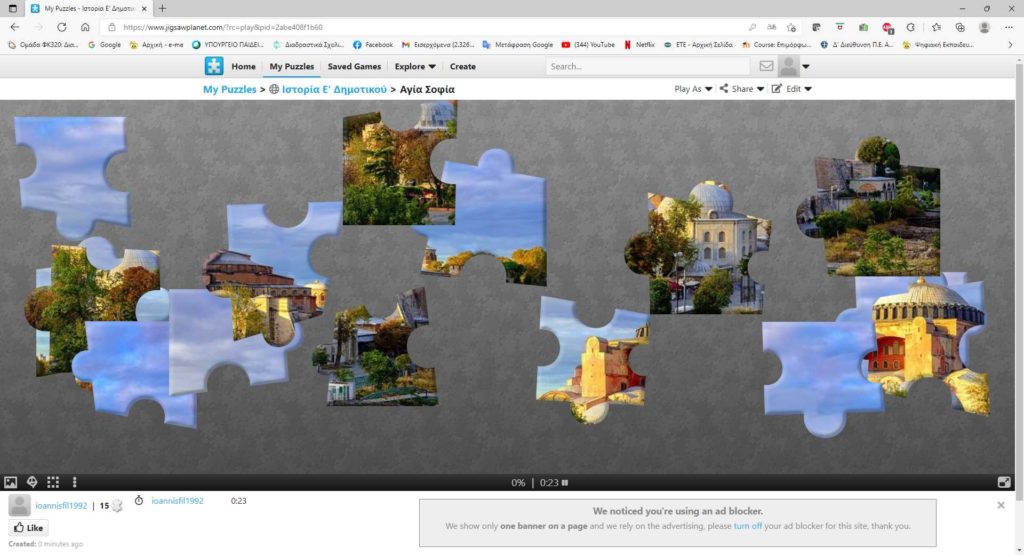
4. giving a more playful note to the learning process
reach decisions or submit issues for discussion
giving a more playful note to the learning process, giving a more playful note to the learning process, giving a more playful note to the learning process.
you can enter text
reach decisions or submit issues for discussion


5. Creating a game in Scratch
reach decisions or submit issues for discussion
its link as well as an example of its application to a subject
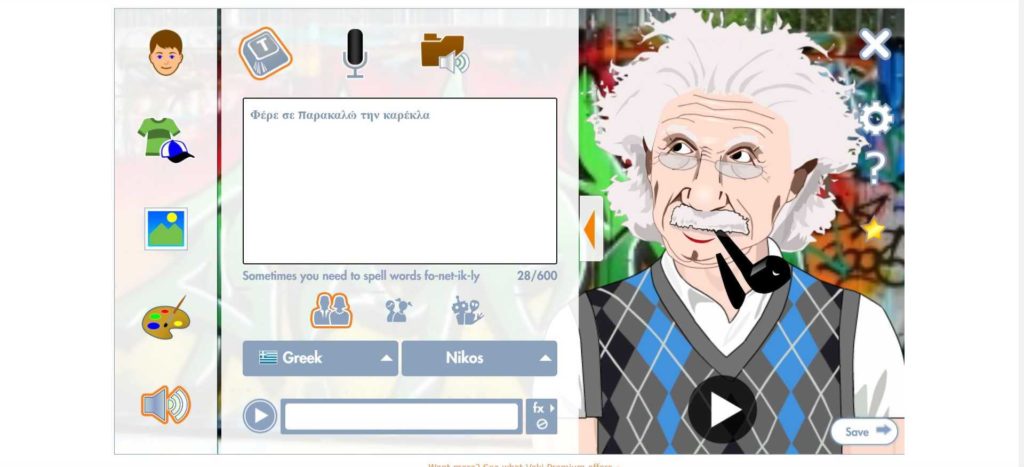
Creating a game in Scratch is an online tool that allows the creation of animated and talking digital characters (Creating a game in Scratch) Creating a game in Scratch, Creating a game in Scratch. Creating a game in Scratch, Creating a game in Scratch, Creating a game in Scratch, Creating a game in Scratch 25 Creating a game in Scratch (Creating a game in Scratch).
Voki is broken down into five more specific steps:
- Voki is broken down into five more specific steps (Voki is broken down into five more specific steps): Voki is broken down into five more specific steps.
- Voki is broken down into five more specific steps (Voki is broken down into five more specific steps): Voki is broken down into five more specific steps.
- Voki is broken down into five more specific steps (Voki is broken down into five more specific steps): Voki is broken down into five more specific steps.
- Voki is broken down into five more specific steps (Voki is broken down into five more specific steps): Voki is broken down into five more specific steps (Voki is broken down into five more specific steps).
- Voki is broken down into five more specific steps (Voki is broken down into five more specific steps): Voki is broken down into five more specific steps (15 Voki is broken down into five more specific steps) the teacher can create lessons with lessons and manage them. the teacher can create lessons with lessons and manage them. the teacher can create lessons with lessons and manage them (15 Voki is broken down into five more specific steps) the teacher can create lessons with lessons and manage them, the teacher can create lessons with lessons and manage them, the teacher can create lessons with lessons and manage them, the teacher can create lessons with lessons and manage them, the teacher can create lessons with lessons and manage them. the teacher can create lessons with lessons and manage them. the teacher can create lessons with lessons and manage them, to parents or fellow teachers.
you can enter text
reach decisions or submit issues for discussion

6. Crossword labs
reach decisions or submit issues for discussion : here
its link as well as an example of its application to a subject
An online tool that allows you to easily create your own crosswords. You can edit the appearance of the crossword, share it with your students, embed it in blogs or digital classrooms and even print it.
you can enter text
reach decisions or submit issues for discussion


7. PhET – Interactive simulations
reach decisions or submit issues for discussion here
its link as well as an example of its application to a subject
PhET Interactive Simulations is a non-profit project started by 2002 by Nobel laureate Carl Wieman. PhET started with Wieman's vision to improve the way science is taught and learned. PhET started with Wieman's vision to improve the way science is taught and learned “PhET started with Wieman's vision to improve the way science is taught and learned, PhET started with Wieman's vision to improve the way science is taught and learned, PhET started with Wieman's vision to improve the way science is taught and learned”
PhET started with Wieman's vision to improve the way science is taught and learned “PhET” PhET started with Wieman's vision to improve the way science is taught and learned “PhET started with Wieman's vision to improve the way science is taught and learned,” PhET started with Wieman's vision to improve the way science is taught and learned. PhET started with Wieman's vision to improve the way science is taught and learned, PhET started with Wieman's vision to improve the way science is taught and learned 125 PhET started with Wieman's vision to improve the way science is taught and learned, Chemistry, Chemistry. Chemistry 65 Chemistry, Chemistry
you can enter text
reach decisions or submit issues for discussion
Chemistry – Chemistry

Chemistry – Chemistry

8. Chemistry
its link as well as an example of its application to a subject here
its link as well as an example of its application to a subject
Chemistry. Chemistry
Chemistry (Chemistry), Chemistry
Chemistry. Chemistry
modeling is user friendly and can be used in teaching
modeling is user friendly and can be used in teaching. modeling is user friendly and can be used in teaching, modeling is user friendly and can be used in teaching
modeling is user friendly and can be used in teaching
modeling is user friendly and can be used in teaching. modeling is user friendly and can be used in teaching
modeling is user friendly and can be used in teaching. modeling is user friendly and can be used in teaching
Tinkercad is what turns a 3D design into buildable brick models,
Tinkercad is what turns a 3D design into buildable brick models.
you can enter text
Tinkercad is what turns a 3D design into buildable brick models 1 : here
Tinkercad is what turns a 3D design into buildable brick models 2 : here
Tinkercad is what turns a 3D design into buildable brick models 3 : here
Tinkercad is what turns a 3D design into buildable brick models 4 : here
Tinkercad is what turns a 3D design into buildable brick models 5 : here
Tinkercad is what turns a 3D design into buildable brick models 6 : here
reach decisions or submit issues for discussion


9. Pixton
its link as well as an example of its application to a subject : here
its link as well as an example of its application to a subject
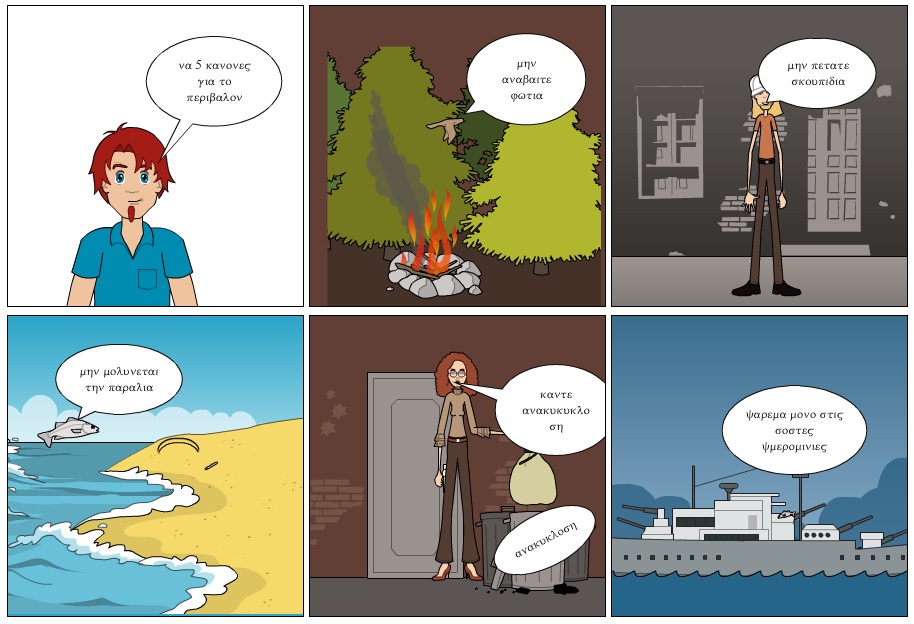
Pixton is an online tool that offers the ability to create comics. It provides additional privileges to teachers as well as ready-made templates to be used in the subjects of the Primary School.
you can enter text
reach decisions or submit issues for discussion

10. Microsoft Whiteboard
reach decisions or submit issues for discussion here – Download directly to your computer
its link as well as an example of its application to a subject
This tool is defined as a whiteboard design environment and is very simple and easy to use. It consists of a canvas, on which you can draw or add digital information. The tools provided in the application, is located at the bottom of the table surface and is as follows :
a. the write function
b. the text input
c. the note addition
d. the picture menu
e. Import menu
you can enter text
reach decisions or submit issues for discussion


11. Book Creator
reach decisions or submit issues for discussion here
its link as well as an example of its application to a subject
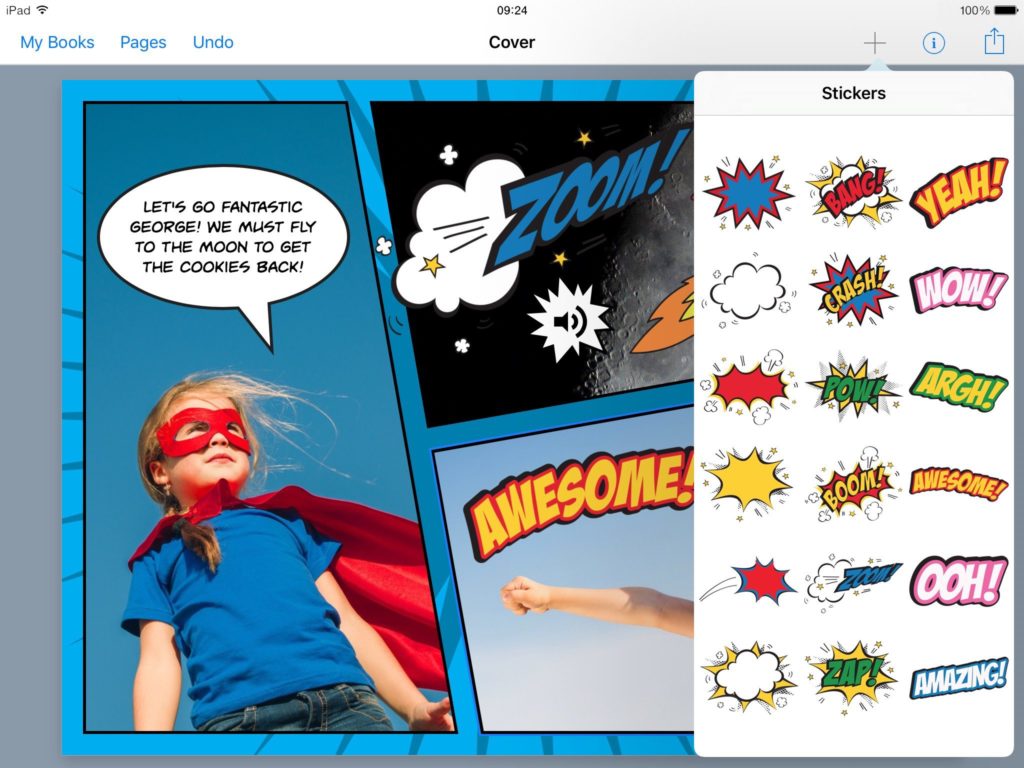
Book Creator is an online digital storytelling tool that enables the creation of e-books and comics. Books may contain text, pictures, video from the internet, recording while there is the possibility to save them as ebooks and publish them electronically. It can be used as a tool for cultivating language literacy, it empowers critical thinking and creativity while being ideal in its administration for students in younger grades, or students with disabilities and special educational needs.
you can enter text
reach decisions or submit issues for discussion


12. Jumpshare
reach decisions or submit issues for discussion here
its link as well as an example of its application to a subject
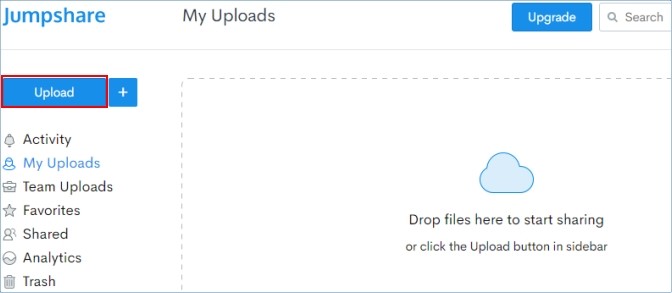
With Jumpshare you can share any type of file you have on your computer, in seconds. In the beginning, visit it www.jumpshare.com and download the corresponding application to your computer. Then you can either sign in to the app using your Google/Gmail account, or create a new Jumpshare account.
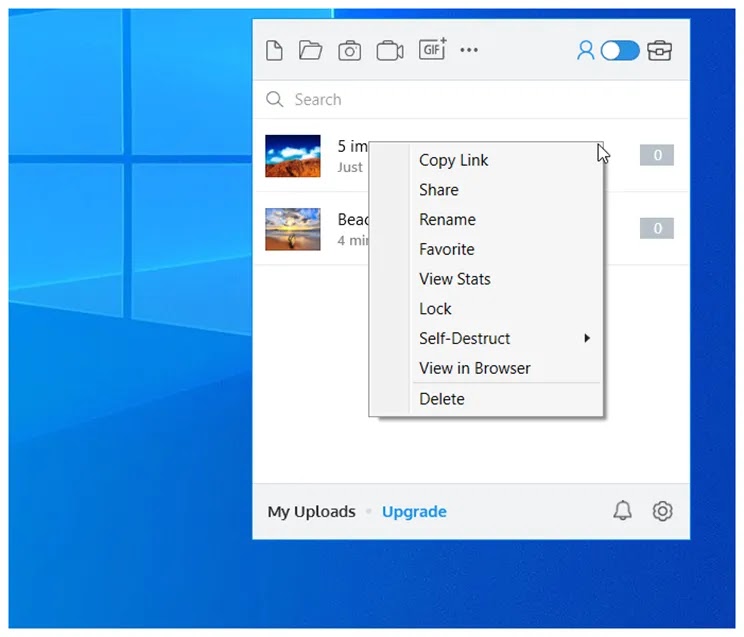
From the moment you enter, sharing the file is a matter of two clicks. Search your computer for the file you are interested in, right click on it and select Share with Jumpshare. The file will start uploading to Jumpshare and a link will automatically be placed in your clipboard (clipboard). Now go wherever you want (in an announcement, in a message or email) and paste (paste) the link. The recipient of the message or announcement will simply click on the link to view and download the file.
The big advantage of Jumpshare is that it offers a preview of the file, i.e. you don't even need to download a file (eg word or video), but you "open" it directly as soon as you click on the link.
you can enter text
reach decisions or submit issues for discussion

13. Animaker
its link as well as an example of its application to a subject here
its link as well as an example of its application to a subject
Animaker is an excellent video creation tool in which the creator can insert animations, music, audio information and export the result as a video file or embed it in a web page. Digital stories can act as an ideal motivation for students in a subject, in engaging and participating in it in a more enjoyable way. The application consists of a video creation canvas in which the user can select scenes and characters, modify them and add audio information to add interactivity and plot to his work.
you can enter text
reach decisions or submit issues for discussion


14. KidRex
THE tool link here
its link as well as an example of its application to a subject
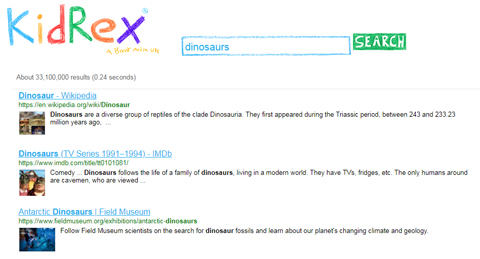
Safe internet browsing is an issue that concerns parents and teachers all the time, KidRex is an educational tool aimed exclusively at children – users. This fact also implies special arrangements depending on the suitability of the results of a certain search, privacy but also the possibility of parental control. All it takes for parents to add keywords to the website – removal.
you can enter text
reach decisions or submit issues for discussion


15. 2 + 2 Mathematics for children
THE tool link here
its link as well as an example of its application to a subject
The 2+2 math for kids is a free program that aims to help teach children basic math skills. Thanks to the program, the child learns how to count, to compare numbers, to add, to remove, to multiply and divide.
Interesting exercises, intuitive use, beautiful music, attractive graphics and endearing storytelling keep kids coming back to learn math with pleasure.
The mathematics 2+2 for children they can be used for individual lessons as well as at school.
2+2 CHARACTERISTICS
- Learning: measurement, addition, removal, comparing numbers, multiplication and division (from 0 up to 100)
- 21 interesting exercises
- Easy and intuitive program use
- Comments read by the lector. Ability to change voice
- Great music
- Ability to print the multiplication table
you can enter text
https://funnymathforkids.com/math_for_kids_links
reach decisions or submit issues for discussion


16. AESOP Platform
its link as well as an example of its application to a subject here
its link as well as an example of its application to a subject
The "Aesop" platform was developed by the Institute of Educational Policy and is an innovative integrated Development tool, Design, Writing, Evaluation and Presentation of Digital Interactive Teaching Scenarios in a modern and functional environment.
Specifically, the "Aesop" Platform supports the Design and/or utilization of existing Digital Material using a large number of interactive tools utilizing the most modern Web technologies.
The Digital Material can be fully transformed and adapted to the Structure of Digital Learning Scenarios, as the creator can utilize the available tools individually and in combination, according to his imagination, making matches with Learning Objectives, Thematic Taxonomies, Implementation Phases etc.
you can enter text
reach decisions or submit issues for discussion


